Recover deleted, lost and damaged files from your Windows PC —
quick scan, deep scan and signature-based deep carving in one tool.
Download for Windows Contact Support
Version 1.2.1 · Windows 10/11 · $49 · Scanning and recovery run entirely on your PC
One wrong click, one interrupted format — and important data is gone. RecoverWiz is built for exactly these moments.
Files deleted with Shift+Delete, or an emptied Recycle Bin, are often still on the disk.
A quick format does not erase your data — deep scan rebuilds what the format removed.
Recovered videos, photos or documents that won't open can often be repaired automatically.
Even when file system metadata is gone, signature-based carving can still find your files.
Everything you need to bring your data back
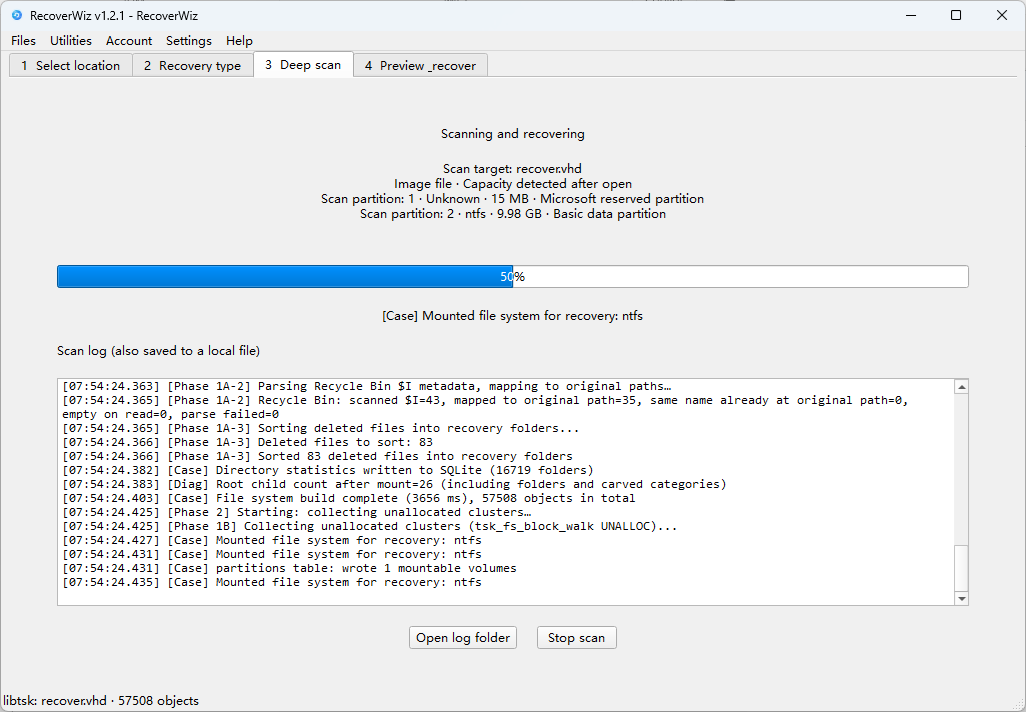
Fast scan finds recently deleted files in seconds; deep scan rebuilds file systems for a thorough recovery.
Signature-based carving (UnifiedCarver) recovers files even when file system metadata is gone.
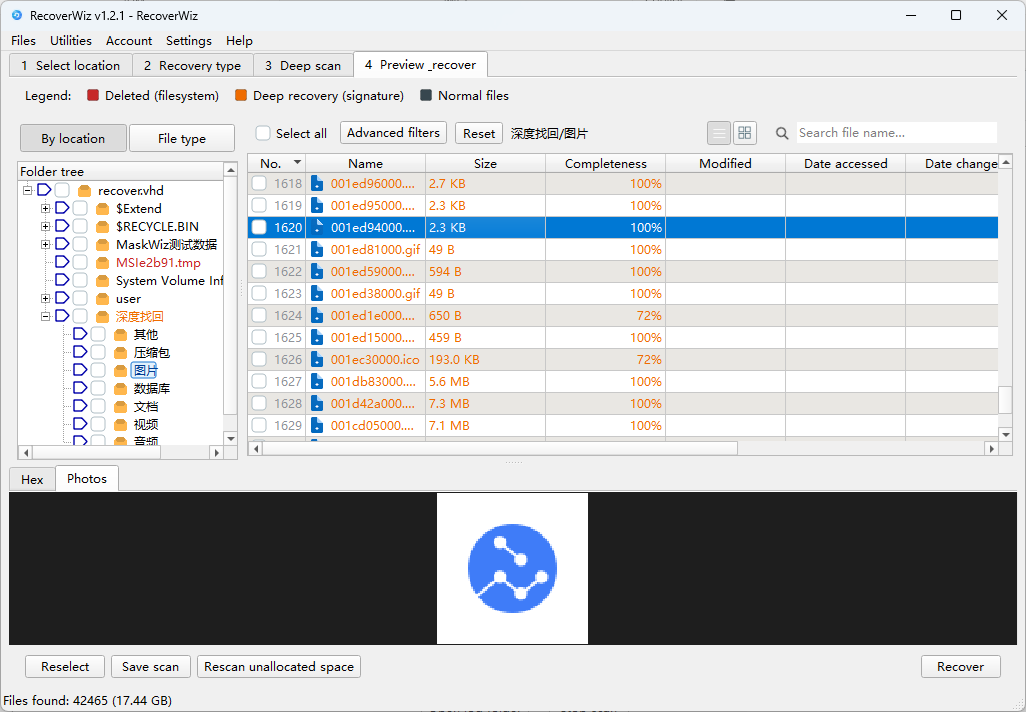
Filter results to show only deleted files, so you can focus on what was lost.
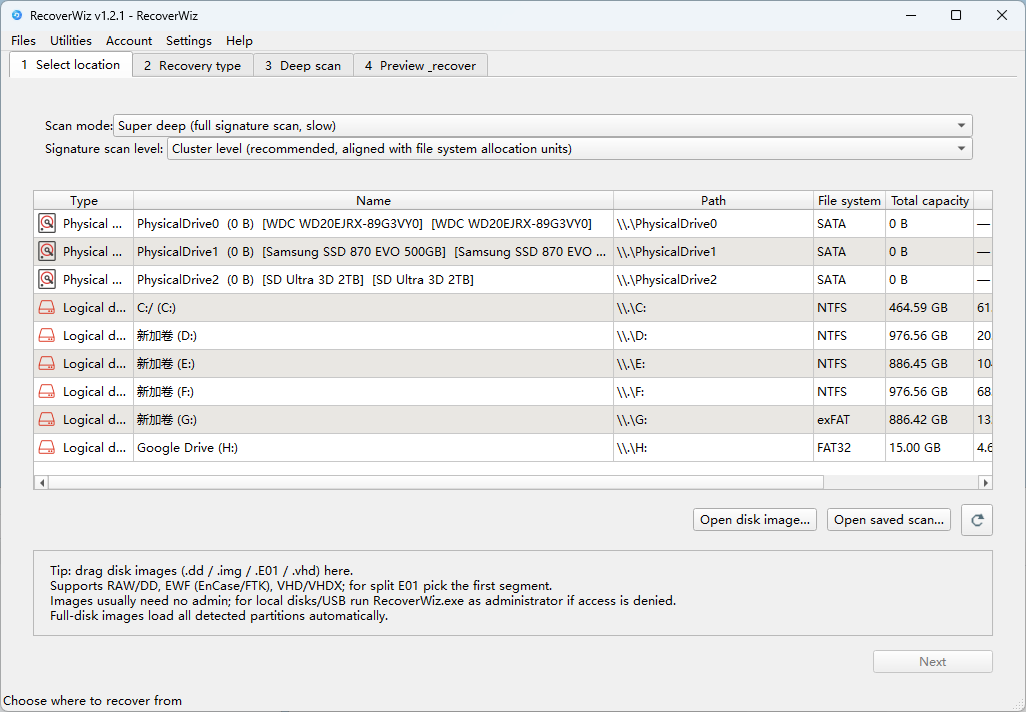
Identifies file system volumes automatically and mounts them for structured recovery across all common Windows file systems.
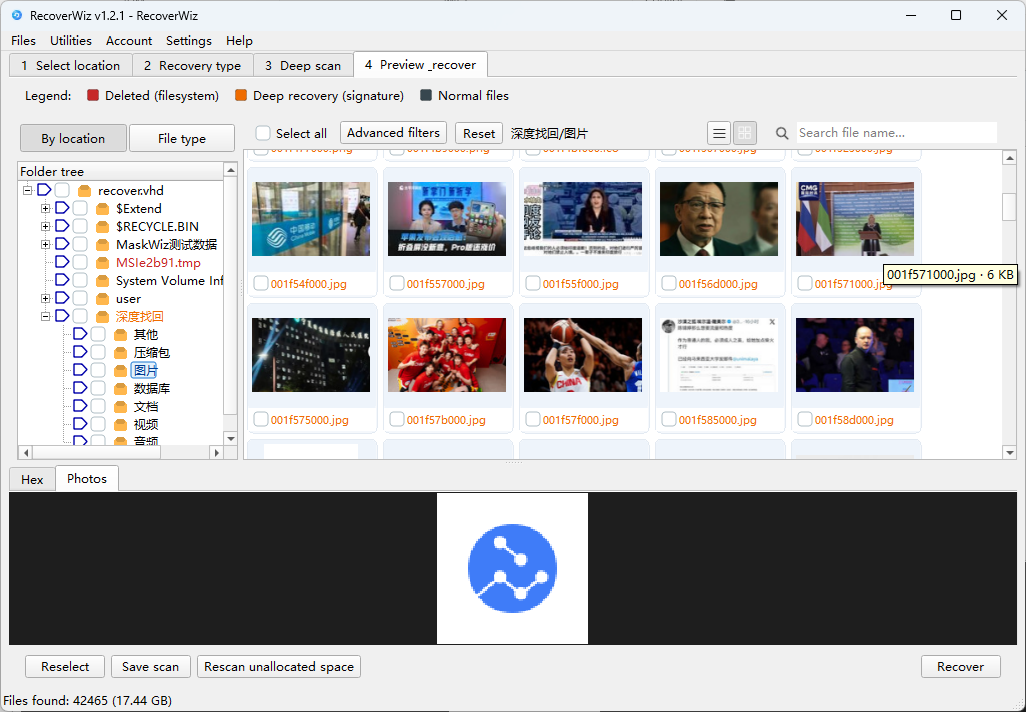
Preview documents and PDFs before recovery — restore only the files you actually need.
Built-in repair for corrupted videos, photos and documents after recovery.
Start fast, go deeper only when you need to
Best for recently deleted files. Searches file system records and returns results in seconds.
Best for formatted drives and missing partitions. Rebuilds the file system structure for complete, organized results.
The last resort that usually works. Scans raw disk data by file signatures when no file system information survives.
Three steps to get your data back
Choose the disk, partition or folder where your files were lost.
Run a quick scan, or a deep scan / carve for harder cases. You can cancel any time.
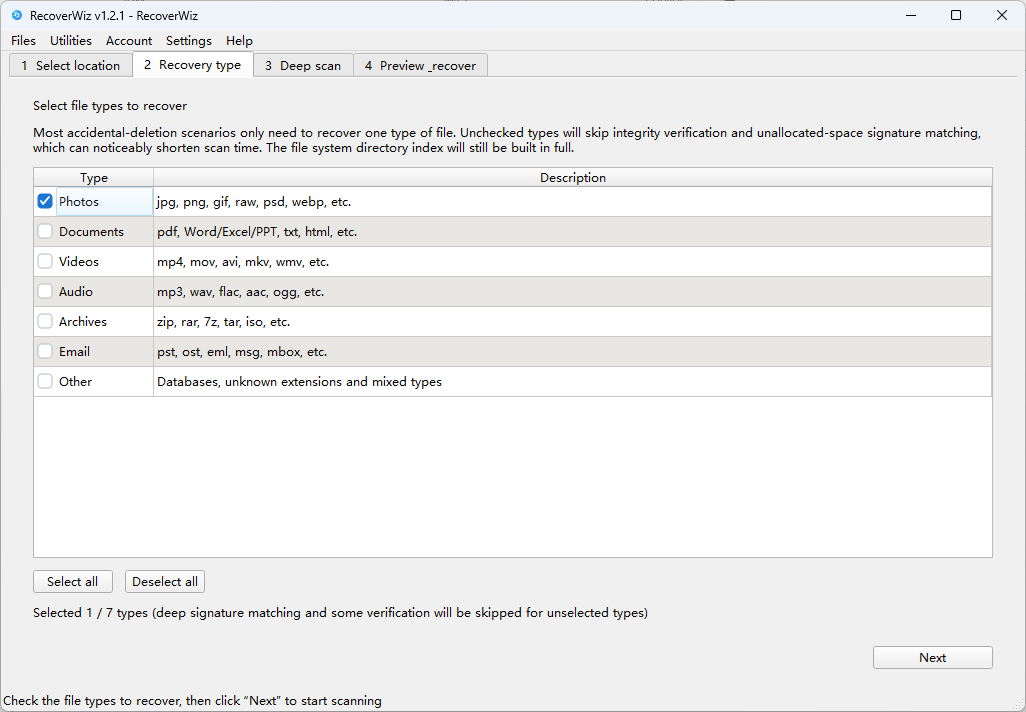
Filter by recovery type, preview files, and save them to a safe location.
Preview documents and PDFs, repair videos, photos and documents — all in one place
JPG, PNG and other common image formats.
Video files — with built-in repair for corrupted ones.
Office documents and PDFs, with preview before recovery.
Which file systems are supported?
RecoverWiz supports NTFS, FAT32 and exFAT — the file systems used by Windows disks, USB drives and memory cards.
Is scanning safe for my drive?
Yes. Scanning only reads your disk. Recovered files are saved to a location you choose, and nothing is written back to the source drive.
Does my data leave my computer?
No. Scanning and recovery run entirely on your PC — your files never leave your computer.
Can I preview files before recovering them?
Yes. You can preview Office documents and PDFs, and filter results to show only deleted files.
The files were deleted long ago — can they still be recovered?
Often yes. Quick scan covers recent deletions; deep scan and deep carve go much further, even for formatted drives. The sooner you stop writing to the drive, the better the chances.
How much does RecoverWiz cost?
$49. Questions before or after purchase? Contact us any time.
Download RecoverWiz and see what you can get back — before you pay for anything.